
BDO Online Casino Transfers on TA777: BDO Pay Scans, Daily Send Locks & Savings Payouts
BDO deposits on TA777 start at ₱200 up to ₱50,000 per transaction and settle in roughly 30 to 120 seconds at ₱0 scan-to-pay cost through BDO Pay or BDO Online. Direct savings withdrawals span ₱200 to ₱100,000+ with ₱0 TA777 fees, clearing in 5 to 25 minutes via InstaPay up to ₱50,000 or weekday PESONet batches above ₱50,000.
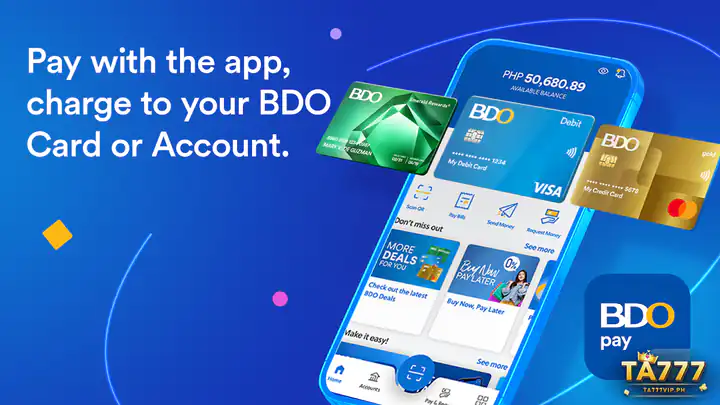
BDO Deposit & Cash-Out Thresholds: ₱200 to ₱100,000+ Peso Ledger
Account holders at the largest commercial bank in the Philippines can fund play and collect passbook payouts directly without routing money through middleman wallets. Because BDO deposits open at ₱200, every initial top-up automatically clears the ₱177 first-deposit bonus bar while building cumulative volume toward TA777 VIP level upgrades.
₱0 Scan-to-Pay Cost vs. ₱10 Outbound Manual Transfer Fee
| BDO Banking Case | Gross PHP Amount | BDO Fee | TA777 Fee | Net Playable / Payout Credit | Clearing Window |
|---|---|---|---|---|---|
| E-Wallet / Match Floor Ref | ₱100 / ₱177 | N/A | ₱0 | Use GCash/Maya for <₱200 top-up | BDO starts at ₱200 |
| BDO Minimum Scan (Match Eligible) | ₱200 | ₱0 (QR Ph) | ₱0 | ₱200 + ₱177 Match or ₱2 Rebate | 30–120 sec credit |
| Mid-Stakes Scan vs Manual Send | ₱500 | ₱0 vs ₱10 | ₱0 | ₱500 net (scan avoids ₱10 fee) | 30–120 sec credit |
| Four-Digit BDO Pay Top-Up | ₱1,000 | ₱0 (QR Ph) | ₱0 | ₱1,000 + ₱10 Auto Rebate (1x) | 30–120 sec credit |
| Max Real-Time Savings Payout | ₱50,000 | ₱0 inbound | ₱0 | ₱50,000 direct to BDO savings | 5–25 min InstaPay |
| Six-Figure VIP Bank Payout | ₱100,000+ | ₱0 inbound | ₱0 | Full lump sum via PESONet batch | Weekday PCHC cycle |
Scanning the dynamic QR Ph merchant code inside BDO Pay or the new BDO Online app costs ₱0, saving you the standard ₱10 bank fee charged on manual Send Money to Another Bank transfers.
How BDO Pay & BDO Online Daily Send-Money Sliders Control Your Cap
Since BDO retired its older Digital Banking app in favor of the unified BDO Online and BDO Pay platforms, user-controlled security sliders govern every external peso movement.
Adjusting Your ₱50k–₱200k+ Daily Ceiling & Quick Lock Toggles
Inside BDO Online, tap More and open Security Management to inspect your Daily Send Money Limit slider and Account Quick Lock switches. If you previously lowered your external send slider to ₱10,000 for everyday shopping safety, raise it temporarily before approving a ₱25,000 or ₱50,000 cashier scan.
10-Digit vs. 12-Digit BDO Savings Account Formatting Rules
Older passbooks and ATM envelopes sometimes omit leading branch zeros and display 10 digits, whereas BDO Online account cards display the full 12-digit savings number (often starting with 00). Copy the exact 10- or 12-digit numeric string shown inside your active BDO Online Account Details view without hyphens so automated InstaPay and PESONet payouts land cleanly.
Browse live game studios, verified RTP tables, and house policies on the root page: TA777 PH
Funding TA777 via BDO Pay Without Enrolling Recipient Accounts
One major perk of the upgraded BDO Pay scanner is that you never have to pre-enroll recipient merchant numbers or wait for ATM activation codes.
30–120 Second Scan Approval & 5–25 Minute Savings Cash-Outs
- Create a ₱200–₱50,000 QR Ph Invoice: Open TA777 Deposit, select QR Ph / Bank Scan, enter ₱200 or higher, and save the dynamic barcode screenshot.
- Import Inside BDO Pay or BDO Online: Tap QR Scan, upload your fresh screenshot from your photo library within five minutes, and verify your BDO savings source account.
- Approve With Biometrics or PIN: Confirm the zero-fee merchant scan and wait 30 to 120 seconds for TA777 to update your PHP lobby balance.
- Bind Your BDO Savings for Cash-Outs: Under Withdrawal, enter your 10- or 12-digit BDO account number and matching legal name to collect ₱200 to ₱50,000 in 5 to 25 minutes via InstaPay (or ₱50,001 to ₱100,000+ via weekday PESONet).

- Universal Bank: BDO Unibank, Inc. (BDO Online / BDO Pay)
- Minimum Threshold: ₱200 deposit & payout (exceeds ₱177 match min)
- Account Digits: 10- or 12-digit savings/checking (no dashes)
- Recommended Backup: UnionBank Online or BPI VYBE after 10 PM
Compare BDO clearing speeds against eleven other Philippine banking and wallet rails: Check PHP Payout Speeds & ₱50k Caps in TA777 Cashier
Fixing BDO OTP Timeouts, Daily Slider Blocks & Nightly Host Lags
When a BDO transaction hesitates, the trigger is nearly always a forgotten Quick Lock toggle, delayed evening telco OTP delivery, or late-night host batching.
Three Recovery Checks When a BDO Debit Shows Processing
3-Scenario BDO Online & BDO Pay Error Fix Box
- Scenario 1 — Transfer Declined Despite High Savings Balance: Open BDO Online Security Management, verify Quick Lock is toggled OFF for external transfers, and slide your Daily Send Money ceiling above your deposit figure.
- Scenario 2 — Debit Shows "Processing" During Nightly Host Window (10:30 PM – 12:30 AM PHT): Do not repeat the scan; save your BDO Reference Number screenshot and share it with 24/7 TA777 live chat if the balance has not posted within 5 minutes.
- Scenario 3 — Delayed SMS OTP on Roaming or Condo Signal: Enable biometric Face ID or fingerprint transaction signing inside BDO Pay / BDO Online so scan approvals bypass carrier SMS queues entirely.
Want biometric Mobile Key approvals and ₱100 minimum bank top-ups too? Approve ₱100–₱100,000 Transfers Using BPI Mobile Key & VYBE
Who Should Bank With BDO on TA777 vs. Keep a Backup Wallet Ready
Direct universal bank routing appeals strongly to players who dislike juggling monthly e-wallet incoming caps or moving winnings twice before reaching an ATM.
Direct Passbook/ATM Liquidity Without Monthly E-Wallet Caps
Every approved BDO payout lands straight inside your interest-bearing savings or checking account ready for nationwide BDO ATM cash withdrawal or bills payment, completely free of Basic e-wallet ₱100,000 monthly ceilings. Keep UnionBank Online or upgraded Maya Wallet linked as a late-night backup whenever BDO runs scheduled midnight host maintenance.
Also hold a 13-digit Metrobank passbook? Review push AppKey steps here: Authorize ₱200–₱100,000+ Cashiers via Metrobank AppKey
BDO Pay & Savings Transfer Questions on TA777
Find straightforward answers covering ₱0 BDO Pay scans, 10- versus 12-digit account numbers, daily slider locks, and ₱177 bonus eligibility.
How do I avoid the ₱10 BDO outbound fee when depositing into TA777?
Use the Scan QR feature inside BDO Pay or the BDO Online app to pay a dynamic TA777 QR Ph deposit code. Person-to-Merchant QR Ph scans carry a ₱0 fee, whereas manual interbank InstaPay transfers charge ₱10.
Should I enter 10 digits or 12 digits when binding my BDO savings account for cash-outs?
Enter the exact 10- or 12-digit account number displayed inside your BDO Online app Account Details screen (typically 12 digits including leading branch zeros, with no hyphens or spaces) under your matching legal name.
Why did BDO Online block my ₱20,000 transfer even with sufficient savings balance?
Your customizable Daily Send Money Limit slider or Account Quick Lock toggle inside BDO Online Security Management is likely set below ₱20,000. Raise your daily external transfer slider in the app and retry with a fresh QR Ph code.
Does a ₱200 BDO deposit automatically qualify for the ₱177 TA777 first-deposit match?
Yes, because ₱200 exceeds the ₱177 minimum qualifying threshold for the 100% New Member First Deposit Bonus. Just message 24/7 TA777 support right after your ₱200+ BDO deposit lands before placing your first bet.