
Metrobank InstaPay & Online Cash-Outs on TA777: AppKey Steps & 13-Digit Routing
Metrobank transfers on TA777 cover ₱200 to ₱50,000 per 30 to 90 second AppKey deposit and ₱200 to ₱100,000+ for direct withdrawals at ₱0 TA777 fee. InstaPay payouts up to ₱50,000 clear in 5 to 25 minutes using your full 13-digit account number, and ₱200+ initial top-ups qualify for the ₱177 welcome match.
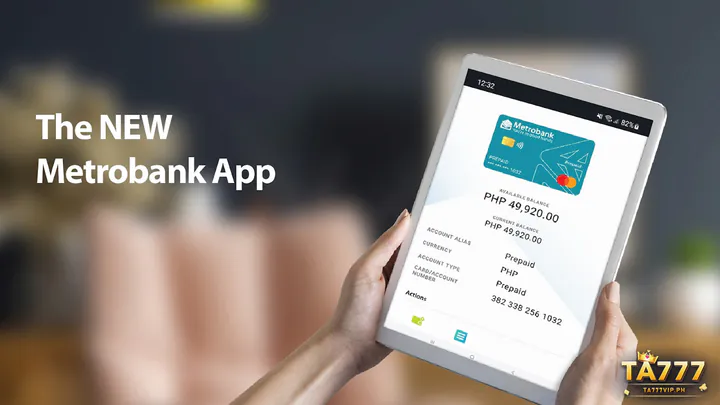
Mobile Checklist for Metrobank AppKey Deposits & 13-Digit Payouts
Metropolitan Bank & Trust Company depositors enjoy rock-solid cryptographic security through AppKey, provided they bind all thirteen savings digits rather than shortened passbook numbers. Complete your Single-Account PHP Profile Setup & ID Matching under your exact passbook legal name first, then follow this mobile checklist.
Authorizing 30–90 Second Peso Scans With Metrobank AppKey
- Request a ₱200–₱50,000 Cashier Code: Open TA777 Deposit, pick QR Ph / Metrobank, enter at least ₱200 (which already clears the ₱177 100% welcome bonus bar), and screenshot the barcode.
- Upload in the Metrobank App QR Scanner: Launch the Metrobank mobile app on your registered AppKey handset, tap Scan QR, and import your fresh screenshot within five minutes.
- Approve the Cryptographic AppKey Prompt: Verify the exact peso figure at ₱0 P2M scan fee, tap Approve on the in-app AppKey security prompt using biometrics or your 6-digit passcode, and watch TA777 credit in 30 to 90 seconds.
Entering All 13 Metrobank Account Digits for Direct Cash-Outs
- Copy Your Full 13-Digit Account Number: Open your Metrobank app dashboard and copy all 13 digits (3-digit branch prefix + 10-digit base number)—never omit the first three branch digits.
- Bind & Request ₱200 to ₱100,000+: Paste all 13 continuous digits into TA777 Withdrawal under your matching legal name to receive ≤₱50,000 in 5 to 25 minutes via InstaPay or ₱50,001+ via PESONet.
Metrobank Peso Limits, Zero Scan Fees & ₱200–₱1,000 Sample Math
Every scan-to-pay deposit and direct savings withdrawal on TA777 runs at ₱0 operator cost. Review how sample peso transfers behave across standard, bonus, and high-tier settlement bands.
₱50,000 Real-Time Tickets vs. ₱200,000–₱500,000 High-Tier Settlements
| Metrobank Tier | Peso Amount | Scan / TA777 Fee | Net Credit & Bonus Note | Clearing Channel | Settlement Window |
|---|---|---|---|---|---|
| Below-₱200 Reference | ₱100 / ₱177 | ₱0 | Use GCash/Maya/BPI for ₱100–₱199 | E-Wallet / QR Rail | Metrobank starts at ₱200 |
| Minimum Metrobank Top-Up | ₱200 | ₱0 (QR Ph) | ₱200 + ₱177 Match (1x = ₱377) | AppKey QR Ph Scan | 30–90 sec instant |
| Mid-Range Session Load | ₱500 | ₱0 (QR Ph) | ₱500 + ₱5.00 Auto Cashback | AppKey QR Ph Scan | 30–90 sec instant |
| Four-Digit Savings Load | ₱1,000 | ₱0 (QR Ph) | ₱1,000 + ₱10.00 Auto Cashback | AppKey QR Ph Scan | 30–90 sec instant |
| Max Real-Time Cash-Out | ₱50,000 | ₱0 | ₱50,000 to 13-digit savings | 24/7 BancNet InstaPay | 5–25 min automated |
| VIP Passbook Settlement | ₱200,000–₱500,000 | ₱0 | Single lump-sum bank credit | Weekday PCHC PESONet | Same banking day (< cut-off) |
Notice that a ₱200 initial Metrobank deposit paired with the ₱177 100% first-deposit bonus gives you ₱377 in playable Slots and Fishing funds with just 1x turnover required before cashing out.
Check live game studios, verified slot math, and house rules on the main portal: Compare TA777 PHP Deposit Minimums & Game Lobbies
Cryptographic AppKey Device Locks & New-Phone Cooling Windows
Metrobank binds cryptographic AppKey signing strictly to a single trusted smartphone hardware ID to block remote account takeovers.
Why Switching Handsets Pauses Outbound Metrobank Sends for 24 Hours
- Universal Bank: Metropolitan Bank & Trust Co. (Metrobank)
- Security Protocol: Single-device AppKey cryptographic push
- Mandatory Digits: Full 13-digit Metrobank account string
- Cooling-Period Backup: UnionBank Online or Maya Wallet
Whenever you buy a new phone, reinstall the Metrobank app, or transfer AppKey registration to another device, Metrobank enforces a mandatory 24-hour security cooling period before outbound transfers resume. Inbound TA777 withdrawals to your 13-digit savings account still clear normally during that 24-hour window.
Explore all twelve PHP e-wallet, bank, and USDT channels in our central guide: TA777 Cashier
Structuring Mid-Stakes & Six-Figure Metrobank Bankroll Movements
Many corporate professionals and business owners keep primary savings inside Metrobank passbooks while segregating recreational play budgets for cleaner monthly accounting.
Keeping Passbook & Payroll Balances Separate From Play Funds
Maintaining a dedicated Metrobank debit savings account—paired with UnionBank Online as an instant backup—lets you fund ₱200 to ₱50,000 sessions cleanly and receive up to ₱500,000 PESONet VIP settlements without touching household or business operating accounts.
See how built-in offline OTP codes and 12-digit routing work on UnionBank: In-App OTP Generator Transfers & 12-Digit UnionBank Routing
Solving Metrobank AppKey Push Misses & 13-Digit Formatting Errors
Almost every Metrobank payout rejection or deposit stall traces back to missing branch digits, suppressed push notifications, or the 24-hour new-device lock.
Three Checks Before Re-Sending an Uncredited Metrobank Transfer
3-Scenario Metrobank AppKey & 13-Digit Error Fix Box
- Scenario 1 — Withdrawal Rejected due to 10-Digit Account Entry: Printed passbook covers sometimes separate the 3-digit branch code from the 10-digit account; re-bind all 13 continuous digits shown inside your Metrobank app home card.
- Scenario 2 — AppKey Push Prompt Never Appears: Enable Metrobank notification permissions in iOS or Android settings, confirm your phone date/time is set to Automatic Manila time, and generate a fresh 5-minute QR Ph code.
- Scenario 3 — Outbound Deposit Blocked During 24-Hour New-Device Cooling: Do not repeatedly fail AppKey attempts; fund your session via a backup Maya, GCash, or UnionBank rail until the 24-hour Metrobank device timer clears.
Using a provincial or payroll ATM card too? Check LandBank iAccess setup rules: 10-Digit LandBank Mobile Banking QR Ph & ₱50,000 Payout Caps
Metrobank AppKey & Savings Payout FAQs on TA777
Review quick answers on locating all 13 Metrobank digits, paying ₱0 scan fees, 24-hour AppKey cooling locks, and real-time payout speed.
Where do I find my full 13-digit Metrobank account number for TA777 withdrawals?
Log in to the Metrobank mobile app and tap your savings or checking account card to view the complete 13-digit number (which combines your 3-digit branch code and 10-digit account number). Enter all 13 digits with no spaces on TA777.
How do I pay ₱0 bank transfer fees when funding TA777 from Metrobank?
Select QR Ph in the TA777 Deposit screen and scan or import the dynamic barcode inside the Metrobank app QR scanner. Person-to-Merchant QR Ph scans carry ₱0 bank fees and ₱0 TA777 cashier fees.
Why did Metrobank AppKey block outbound transfers right after I upgraded my phone?
Registering Metrobank AppKey on a new smartphone or reinstalled app triggers an automatic 24-hour security cooling period on outbound sends. Inbound withdrawals to your 13-digit account still work normally while you wait.
How fast do ₱200–₱50,000 TA777 cash-outs reflect in a Metrobank savings account?
Once your 1x turnover requirement clears and your 13-digit account matches your registered legal name, InstaPay withdrawals from ₱200 to ₱50,000 typically reflect in 5 to 25 minutes, 24/7.