
QR Ph Payment Deposits on TA777: Single-Use Scan Limits, 5-Min Expiry & Payout Routing
QR Ph on TA777 generates single-use dynamic deposit codes from ₱100 to ₱50,000 with 5 to 30 second webhook confirmation and ₱0 scan fees across participating Philippine banks and e-wallets. Because dynamic merchant invoices work strictly for inbound cash-ins, verified withdrawals route directly back to your bound bank or e-wallet account.
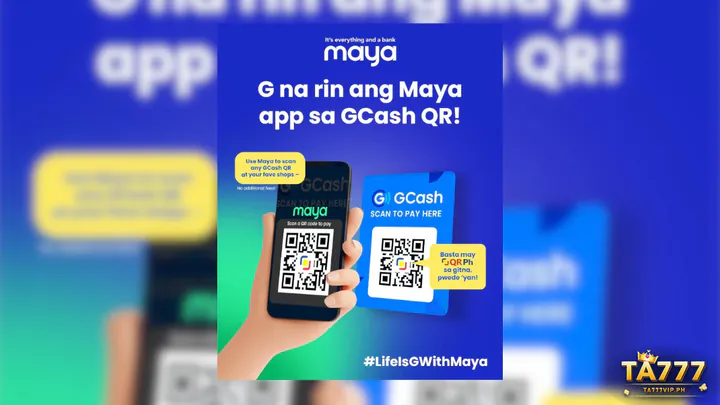
QR Ph Deposit Spec Matrix: Peso Limits, Webhook Speed & Zero Scan Fees
Scanning a national QR Ph barcode eliminates account-number typos and waives manual bank send fees. Make sure you Bind Your +63 Mobile Number During TA777 Sign-Up first so every scan maps cleanly to your verified profile.
₱100–₱50,000 Single-Scan Range & 5–30 Second Webhook Credits
| QR Ph Parameter | TA777 Cashier Rule vs. Manual Bank Send |
|---|---|
| Deposit Band | ₱100–₱50,000 per single-use code (₱177+ unlocks 100% Welcome Match) |
| Flow Direction | Deposit-only invoice; payouts go to bound PH bank or e-wallet |
| Webhook Speed | 5–30 seconds instant vs. slower manual reference checks |
| Scan Surcharge | ₱0 Person-to-Merchant fee vs. ₱10–₱25 manual bank send fee |
| Code Expiry | Single-use 5–10 min timer; never rescan saved screenshots |
| Supported Apps | GCash, Maya, GoTyme, SeaBank, BDO Pay, BPI, UnionBank, LandBank |
How Dynamic Red-Blue-Yellow QR Ph Codes Lock Exact Peso Amounts
Marked by the red-blue-yellow emblem, QR Ph runs under BSP interoperability standards via PPMI and BancNet.
BSP National Merchant Standard & Zero P2M Scan Surcharges
Person-to-Merchant clearing waives outbound bank fees while locking your exact peso figure inside the barcode payload so centavo mismatches cannot happen.
Review verified studios and house rules on the home portal: TA777 Philippines
Single-Use 5-Minute QR Ph Expiry & Gallery Screenshot Pitfalls
Every TA777 cashier barcode is disposable and linked to one order ID.
Why Re-Scanning Old Saved Gallery Images Triggers Unmatched Debits

- Network: BancNet / PPMI (BSP NRPS)
- Validity: 5–10 min single-use order
- One-Phone Flow: Screenshot + Import from Gallery
- Payout Route: Bound GCash, Maya, BPI, or UB
Once paid or past its 5–10 minute timer, that invoice closes permanently; rescanning old images causes unlinked debits requiring support trace checks.
Cropping & Brightness Tips When Import-from-Photos Fails to Read
Keep chat bubbles and screen dimmers away from the barcode corners, and delete each screenshot right after your balance updates.
Uploading a QR Ph Code on One Smartphone & Simulating ₱200–₱1,000 Top-Ups
Every major Philippine bank and e-wallet app supports single-phone gallery QR uploads.
Step-by-Step Single-Handset Photo Import Without a Second Screen
- Create Your Invoice: Pick QR Ph in TA777 Deposit, enter ₱100–₱50,000 (₱177+ for 100% match), and screenshot the code.
- Import From Gallery: Open your bank or wallet scanner, tap Upload QR, and select the screenshot within five minutes.
- Approve at ₱0 Fee: Confirm the pre-filled peso figure via PIN or biometrics for 5–30 second crediting.
| Case | Amount | Fee | Credit + Bonus | 1x Target | Payout Route |
|---|---|---|---|---|---|
| Base Scan | ₱100 | ₱0 | ₱100 + ₱1 Rebate | ₱101 bets | Bound Wallet/Bank |
| Match Scan | ₱177 | ₱0 | ₱177 + ₱177 Match | ₱354 Slots/Fish | Bound Wallet/Bank |
| Light Play | ₱200 | ₱0 | ₱200 + ₱2 Rebate | ₱202 bets | 3–20m InstaPay |
| Mid Scan | ₱500 | ₱0 | ₱500 + ₱5 Rebate | ₱505 bets | 3–20m InstaPay |
| Four-Digit | ₱1,000 | ₱0 | ₱1,000 + ₱10 Rebate | ₱1,010 bets | 3–20m InstaPay |
| Max Scan | ₱50,000 | ₱0 | ₱50k InstaPay cap | PESONet >₱50k | InstaPay / Batch |
Compare all twelve deposit and withdrawal channels side by side: 12-Rail Philippine E-Wallet, QR Ph, Bank & USDT Matrix
Fixing Timed-Out QR Ph Scans & Delayed Webhook Confirmations
Most scan delays occur near the five-minute expiry edge or on wrong app scanners.
Three Recovery Steps When Payment Clears Right at Timer Zero
3-Scenario QR Ph Scan Error Fix Box
- Scenario 1 — Paid Right at Timer Zero: Do not rescan; send your 12- or 13-digit BancNet reference number to 24/7 TA777 live chat.
- Scenario 2 — Re-Scanned an Old Screenshot: Delete the old image and submit your timestamped receipt screenshot to support for manual credit.
- Scenario 3 — "QR Not Supported" Prompt: Use the main QR Ph / InstaPay scanner and ensure funds sit in spendable wallet/checking balance.
Deposit-Only QR Ph Rules: Routing Payouts to a Linked Philippine Bank or E-Wallet
Knowing QR Ph works inbound-only prevents confusion at cash-out time.
Why Dynamic Invoice Codes Cannot Receive Outbound Casino Winnings
Dynamic QR squares are merchant payment requests rather than receiving bank accounts, so TA777 dispatches winnings via electronic transfer instead.
Matching Your Verified Legal Name on Bound Cash-Out Accounts
Bind your personal GCash, Maya, BPI, BDO, or UnionBank account under your matching legal name once in Withdrawal for smooth payouts.
Withdrawing over ₱50,000 on a weekend? See multi-ticket rules: Split Payouts Above ₱50,000 Across 24/7 InstaPay Tickets
When QR Ph Beats Manual Account Typing for Filipino Players
Across GoTyme, SeaBank, and traditional banks, QR Ph beats manual typing every time.
Eliminating 10- to 13-Digit Typo Risks on Fast Mobile Top-Ups
One gallery import locks merchant, amount, and order ID at ₱0 fee—paired with UnionBank or Maya for everyday cash-outs or PESONet for weekday lump sums.
Moving ₱50,001–₱500,000 in one weekday bank transfer? Schedule ₱50,001–₱500,000 VIP Cash-Outs via PESONet Batches
QR Ph Scan-to-Pay Questions on TA777
Clear answers on deposit-only QR Ph rules, single-phone uploads, digital banks, and scan caps.
Can I withdraw TA777 winnings via QR Ph, or is QR Ph only for deposits?
QR Ph is strictly for inbound deposits on TA777. Withdrawals route directly to the verified Philippine bank or e-wallet bound in your Withdrawal profile.
How do I scan a TA777 QR Ph code when I am playing on the same phone?
Screenshot the freshly generated TA777 QR Ph code, open your bank or wallet scanner, tap Upload from Gallery, and approve within five minutes.
What happens if I accidentally scan a saved QR Ph screenshot after 10 minutes?
Dynamic QR Ph codes expire after 5–10 minutes. Share your bank receipt screenshot and BancNet reference number with 24/7 TA777 chat for manual reconciliation, then delete old QR screenshots.
Can GoTyme and SeaBank accounts fund TA777 at ₱0 fee using QR Ph?
Yes, GoTyme, SeaBank, GCash, Maya, BDO Pay, BPI, and UnionBank all scan TA777 QR Ph invoices from ₱100 to ₱50,000 at ₱0 Person-to-Merchant fee.
What is the highest single peso deposit allowed on one dynamic QR Ph code?
One dynamic QR Ph code supports up to ₱50,000 per scan. Larger deposits can use sequential fresh QR codes, PESONet, or USDT TRC-20.